


Kahoot! Algebra by DragonBox
3.821.00 Reviews
App Specs
- Version
- 1.14.1
- Updated On
- License
- Free
- Downloads
- 50,000+
- Developer
- Kahoot!
- Categories
- Educational
- Platform
- Android
Screenshots
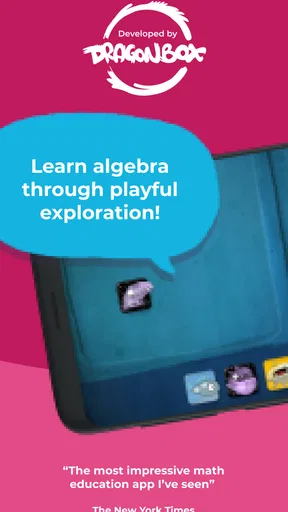

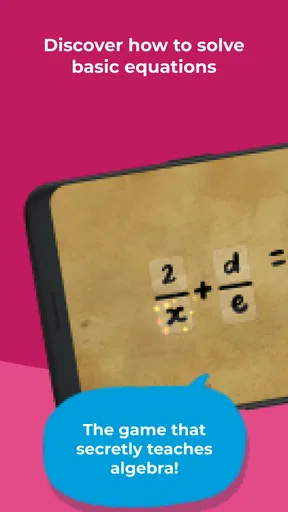


 Analysis by AppCompare
When I judge an educational game, I look beyond whether it can hold attention: I want to know if its presentation makes the subject easier to approach for different learners and everyday situations. Kahoot! Algebra by DragonBox takes a playful route into equations, and that can make a difference for someone who finds a page of symbols off-putting. I’d treat it as a way to explore algebra, not as a replacement for every kind of teaching or practice.
How the visual approach helps
The central appeal is that algebra is introduced through puzzles and on-screen manipulation rather than starting with a long explanation. In my experience, that can lower the initial barrier: a learner can focus on what changes when they move an element, then connect that action to the idea behind an equation. It is a useful entry point for children or adults who learn more comfortably by trying than by reading a rule first.
That visual style also has a trade-off. A learner may get comfortable solving a particular kind of puzzle without being ready to explain the same reasoning in conventional written notation. I’d use the game alongside a notebook: after a puzzle, ask the learner to describe the move in words or write a related equation. That small step can help transfer the insight beyond the screen.
Navigation and pacing in a real routine
The experience is designed to move from simpler challenges toward more involved ones, so it can suit short practice sessions rather than requiring a long block of study. A parent might use it after homework as a low-pressure way to revisit a concept, while an adult could open it for a brief refresher before helping with a child’s maths. The progressive structure is more inviting than being handed a full worksheet at once, though it does not mean every learner will move at the same pace.
For a practical routine, I would keep sessions focused: play a few puzzles, pause, and ask what the learner noticed. If they can explain why a move works, that is more meaningful than simply advancing. If they are guessing repeatedly, a break or a return to a simpler exercise may help more than pushing onward. The game can encourage persistence, but a score or unlocked level should not be treated as proof of mastery.
Motor, sensory and shared-use considerations
Because interaction happens on a screen, a learner needs to be comfortable tapping and moving items around. That can feel natural for many children, but it may be less convenient for someone who finds precise touch input tiring or difficult. I would try a short session before making it the main study method, especially if the learner benefits from larger physical materials or verbal explanation.
The colourful presentation and sound can make practice feel lively, yet not every setting calls for that much stimulation. In a quiet classroom, library or shared room, the surrounding context matters: the player may prefer a lower-distraction moment, and a nearby adult can help turn a puzzle into a calm discussion. I would not assume that a game format suits every sensory preference just because it is educational.
Worth Reading Before You Choose

EA SPORTS FC Mobile 26 Is a Bigger Football Game, but It Takes Time

Flipboard Shows What News Apps Must Do Beyond the Feed

Switching to Android Auto Means Rethinking Your Driving Routine

Google Calendar Makes a Crowded Week Easier to Manage

Ludo King Makes the Most of the Minutes Between Plans

Baby Panda World Brings Quick Play to Modern Phones, but Its Game Library Feels Busy
Where it fits—and where it doesn’t
Compared with a conventional algebra workbook, the game offers interaction and a more playful reason to keep going; a workbook, in turn, makes it easier to show written working and practise a wider range of problems in a familiar format. Compared with a general video lesson, the puzzles ask the learner to act rather than only watch. Those are different strengths, so I see the app as a useful companion when motivation is the problem, not as a universal substitute for explanation, written exercises or help from a teacher.
A realistic use case is a student who understands a teacher’s explanation but dreads independent practice. A brief puzzle session can make the first step less intimidating, after which a parent or teacher can connect the idea to the student’s current lesson. It is also a reasonable option for an adult who wants a gentle return to algebra. I would look elsewhere if the goal is a complete course, detailed written feedback, or practice tailored to a specific exam or curriculum.
What to check before relying on it
The game is free to download, with in-app purchases ranging from $5.99 to $35.99 per item, so I would check what is available before building a regular study routine around it. Its content rating is Everyone, and it is made by Kahoot!, a familiar name in learning games. The current version is 1.14.1, and it requires Android 8.0 or later. It has a 3.8 average from 264 ratings, with 50K+ installs; those figures suggest it has found an audience, but they cannot tell me whether its puzzle style will suit a particular learner.
If you are choosing it for a child, I’d try the opening together and watch for two things: whether the child understands the actions, and whether they can say what the puzzle is teaching. If both are happening, the game is doing more than entertaining them. If the child is tapping randomly or relying on an adult to interpret every screen, that is a sign to slow down and pair it with direct explanation. This approach also gives you a chance to decide whether any in-app purchase is worthwhile for your family rather than treating it as an automatic next step.
The Fun Twist on Algebra
Imagine this: algebra meets gaming. That's exactly what Kahoot! Algebra by DragonBox is all about. It's not just an app; it's a whole new way to look at math. The app cleverly introduces algebraic concepts through engaging puzzles and interactive challenges. It’s designed to make algebra feel less like a chore and more like an adventure.
Getting Started
Firing up the app is a breeze. The interface is super user-friendly, and before you know it, you’re diving right into the world of equations. The app is structured in a way that gradually builds up your skills. So whether you're a complete newbie or someone who just needs a refresher, it caters to all levels.
One thing I loved is how it starts with simple puzzles that introduce basic concepts. You solve these puzzles by manipulating elements on the screen, which helps you understand the underlying principles without feeling overwhelmed. It’s like algebra without the scary symbols!
Engagement Through Gamification
The gamification element is what truly sets this app apart. With each puzzle you solve, you earn points and unlock new levels. There’s a real sense of achievement as you progress, and let me tell you, it’s super satisfying. The developers have done a fantastic job of making sure the game remains challenging yet rewarding.
The characters and graphics are vibrant and fun, adding a playful touch to the learning process. The animations are smooth, and everything feels well-thought-out. Plus, there’s a delightful soundtrack that keeps the energy up as you play.
Learning Without Realizing
What’s brilliant about the app is that you’re learning without even realizing it. You’re so focused on solving the puzzles and beating your own score that you almost forget you’re doing algebra. It’s a sneaky way of learning, and honestly, it’s genius.
The app incorporates a variety of learning techniques. There are visual aids, interactive elements, and even storytelling components that help cement the concepts in your mind. It’s like having a personal math tutor in your pocket, who’s also a bit of a fun-loving game master.
Parental and Educational Approval
This app isn’t just for kids. Parents and educators can also get on board with it. There’s a section where you can track progress and see how well you’re grasping the concepts. It’s a great tool for parents who want to be involved in their child’s learning journey or for teachers who want to incorporate technology into their lesson plans.
The app aligns well with educational standards and practices, ensuring that what you're learning is relevant and applicable. It’s designed to supplement traditional learning methods and can be a great asset in a classroom setting.
Final Thoughts
Overall, Kahoot! Algebra by DragonBox is a winner in my book. It’s engaging, educational, and most importantly, it makes algebra fun. Whether you're a student looking to improve your skills or an adult wanting to brush up on your math, this app is worth checking out.
So go ahead, give it a try, and you might just find yourself enjoying algebra more than you ever thought possible. Who knew equations could be this exciting?
Pros
- Engaging interactive lessons
- Adaptive difficulty levels
- Visually appealing interface
- Encourages critical thinking
- Suitable for all ages
Cons
- Limited offline functionality
- Requires in-app purchases
- May be too basic for experts
- Occasional technical glitches
- Needs frequent updates
FAQs for Kahoot! Algebra by DragonBox
What is Kahoot! Algebra by DragonBox?
Kahoot! Algebra by DragonBox is an educational app designed to make learning algebra engaging and fun for children. It uses interactive puzzles and games to teach algebraic concepts, helping students understand equations and variables in a playful manner. It's suitable for kids aged 5 and above, providing a solid foundation in mathematics.
Is Kahoot! Algebra by DragonBox suitable for all age groups?
While Kahoot! Algebra by DragonBox is primarily designed for children aged 5 and above, it can be useful for anyone looking to strengthen their understanding of basic algebraic concepts. The app's engaging and interactive format makes it suitable for learners who enjoy a game-based approach to education.
Does Kahoot! Algebra by DragonBox require an internet connection?
Kahoot! Algebra by DragonBox can be used offline, allowing users to learn and play without the need for an internet connection. However, for accessing certain features, updates, or additional content, an internet connection may be required. It's always a good idea to check for any updates online periodically.
How does Kahoot! Algebra by DragonBox enhance learning?
Kahoot! Algebra by DragonBox enhances learning by using a game-based approach to teaching algebra. It simplifies complex mathematical concepts into interactive and enjoyable activities, which helps maintain the learner's interest and motivation. The app's progressive challenges are designed to build confidence and foster a deeper understanding of algebra.
Are there any costs associated with Kahoot! Algebra by DragonBox?
Kahoot! Algebra by DragonBox may have a one-time purchase fee, but it is free of in-app purchases or ads. This ensures a distraction-free learning environment. It's advisable to check the app store for the latest pricing and any potential discounts before downloading the app.


